Easy.Install
Install Your Website with One Click
Easy.Install is a feature of world4you that allows you to install the web software of your choice on your server in a few steps.
1
Login
Log in to my.world4you.com and choose the hosting package on which you want to install the web software.
2
Select
In the menu, you can select Easy.Install, then choose the software and location.
3
Install
Now, the software will be installed automatically. You will receive the access data during the installation and by email.
The Most Popular Easy.Installs at world4you
Follow the trend and install web software!
How to Install Web Software

1
Log in
To set up a free Easy.Install, you'll first need to access my.world4you.com and log in to your account. After you are successfully logged in, navigate to the hosting packages to select the one on which you want to set up the Easy.Install.
2
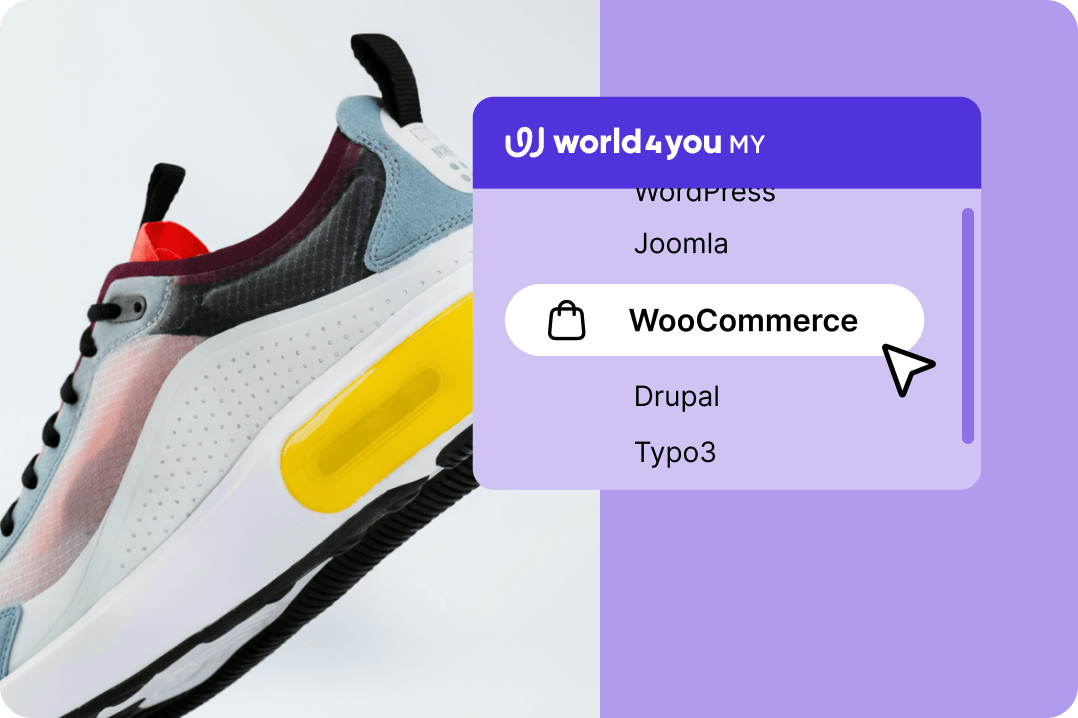
Select
Select your desired web software from a list of available applications and define a location. This flexibility allows you to make the best use of your storage resources and install the software in a location that works best for you.
3
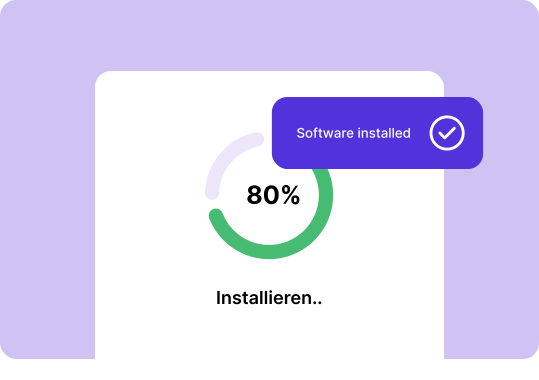
Install
Now, the software will be installed automatically. Once the installation is complete, you will be sent login credentials both during the installation process and via email. With these credentials, you will be able to successfully log in to the system and use the software.

4
Configure
Easy.Install offers a user-friendly interface that allows you to adjust various settings and options. To make changes, open the software under Package > Easy.Install and navigate through the various tabs and menus.
All our Easy.Installs
You can install the following products quickly and easily with just a few clicks in your world4you customer area:
Content-Management

WordPress
With the weblog system WordPress, which is based on PHP and MySQL, publishing posts becomes a breeze. The freely available software is easy to install, meets all web standards, and enables a professional web presence in appealing designs.
TYPO3
The widely used content management system TYPO3 offers intuitive operation, extensive functions, and many additional modules. The application is constantly being further developed, giving TYPO3 a significant advantage over other CMS solutions.

Joomla!
The popular content management system Joomla! originates from the award-winning CMS Mambo. Due to the flexible application possibilities, small to medium web presences can be easily designed and quickly implemented.

Drupal
The mature and flexible content management system Drupal meets all requirements of modern web development. From simple weblogs and company websites to large community portals with several thousand contributions, it can be used to create a wide variety of websites.

MODx
With MODx, you create accessible pages with XHTML and CSS-based layouts. A powerful menu system and the AJAX communication and effect libraries are pre-installed. This allows you to integrate all kinds of lists into the website.
E-Commerce

WooCommerce
The WooCommerce e-commerce platform is based on WordPress and is the world's most popular e-commerce solution. Get secure payment options, configurable shipping options, and much more with our WooCommerce package.
Communication
DokuWiki
Development teams, workgroups, and small companies can use DokuWiki to manage documentation of any kind. Without the need for a corresponding database, DokuWiki collects data files in text documents, using simple but powerful syntax.

phpList
With the open-source application phpList, you organize your newsletter distribution. Even large mailing lists are supported. Among the extensive functions, you will find subscription and unsubscription, templates, management of bounces as well as throttling of the mailing.

phpBB
The sophisticated system phpBB offers you a comprehensive and free tool to create your own discussion portal, including the possibility of administration.

Piwigo
Piwigo image gallery software is considered a total solution for individuals, teams, and organizations of any kind. Hundreds of themes, plugins, and languages make the open-source software the top solution for anyone looking for the best possible flexibility.

LimeSurvey
With the software LimeSurvey, you create online surveys and can record the results in a database. The application already meets the requirements of common enterprise applications in the field of market research and is constantly being developed further.
Our Support is Happy to Help!
Frequently Asked Questions

What is EasyInstall and how does it work?
Easy.Install is a function in the world4you customer area that installs web software automatically. You log in at my.world4you.com, select your hosting package and then the software and the storage location, after which the installation runs on its own. You receive the access data during the process and additionally by email.
Which CMS can I install with EasyInstall at world4you?
In the content management section, WordPress, TYPO3, Joomla!, Drupal and MODx are available. For e-commerce there is WooCommerce, and in the communication section DokuWiki, phpList, phpBB, Piwigo and LimeSurvey, among others. So you can set up anything from a company site to a survey or an image gallery with a click.
Is EasyInstall included in all hosting packages?
Easy.Install is a feature of the customer area and is available with your hosting packages without any additional order. You will find it after logging in, under the respective hosting package. How many installations make sense depends solely on the web space and databases in your package.
Can I also install Joomla or Typo3 with EasyInstall?
Yes, both are part of the selection, as are Drupal and MODx. The procedure is identical to WordPress: select the software, define the storage location, let it install. For TYPO3 a larger package is advisable, because the system needs more resources.
How long does the automatic WordPress installation take?
Usually only a few minutes. As soon as the installation is finished, the access data is displayed and sent to you by email, and you can log in to the WordPress backend straight away. After that comes the actual work: design, content and plugins.
What happens to my data after the EasyInstall installation?
The installation creates files in the chosen directory of your web space and an associated database, and both sit in your hosting package and belong to you. Later content, media and settings end up there as well and are covered by the included backup. Before uninstalling, you should also make your own backup.
How do I update my CMS with EasyInstall?
You apply the actual updates in the respective system, with WordPress for example directly in the backend. Via your package and Easy.Install in the customer area you manage and configure the installation yourself. Important: create a backup before major updates so that you can roll back if something goes wrong.

Looking for Personal Assistance?
Our support team promptly and competently handles your request – and has been doing so directly from Austria for 28 years.