Move your Domain
Free Domain Transfer to world4you
1
Domain Check
Enter your current domain in our Domainchecker. Choose Available – Transfer to complete the order.
2
Receive Access Data
We'll get in touch with you and provide the access data before the domain transfer. This way, your website and services remain accessible at all times.
3
Perform the Transfer
We will transfer the .at domain from your current provider to world4you for free. Our domain support team will be there to assist you throughout the transfer process.
Domain Transfer: Requirements
To carry out a domain transfer quickly and easily, the following requirements should be met.
Active Domain
Your domain is currently active and not expiring within the next 5 days, which means there is enough time to smoothly transfer it to world4you. It is recommended to start this process in a timely manner to avoid potential complications and ensure a seamless transition.
No Transfer Lock
Your domain has not been registered or transferred within the last 60 days. After a successful registration or transfer, a 60-day transfer lock is usually imposed. Once this period has passed, you can proceed with the domain transfer.
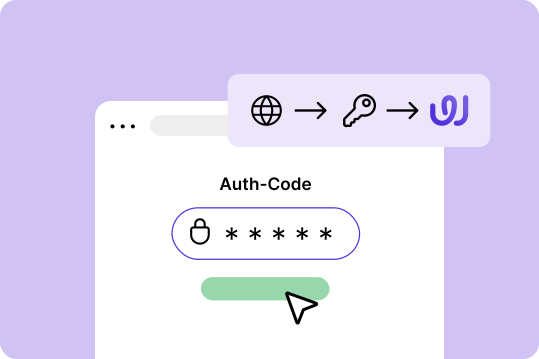
Auth Code Available
Security comes first. The auth code for your domain is essential as it serves as a password to confirm your ownership during the transfer. Keep this code safe! You can obtain the auth code from your current provider.
5 Advantages of world4you
Easy Provider Switch

Partnership

Personal Support

24/7 Monitoring

GDPR-Compliant

Our Support is Happy to Help!
Frequently Asked Questions

How do I transfer my domain to a new provider?
You order the transfer with the new provider and identify yourself with the auth code of your domain. The previous provider releases the domain and the registry assigns it to the new registrar. At world4you you start the move via the provider switch process, the rest runs largely automatically.
What do I need to consider for a domain transfer?
Three things matter: current and reachable owner data, a valid auth code and no transfer lock at the old provider. Only cancel the domain with the old provider once the transfer is complete, otherwise you risk a gap. Also back up your DNS records beforehand so that emails and subdomains continue to work identically afterwards.
What is an auth code and why do I need it for a domain transfer?
The auth code, also called authinfo or transfer code, is a password that proves you are entitled to dispose of the domain. You request it from your current provider and enter it with the new one. Without this code a domain cannot be transferred, so it protects you against unauthorised transfers.
Which steps are necessary to transfer a .at domain?
With .at domains the change runs via nic.at: you obtain the release or the auth code from your previous registrar, order the transfer at world4you and confirm the owner data. Once released, the domain is reassigned. Make sure the owner data matches at both providers, that speeds up the process considerably.
How long does a domain transfer to world4you take?
Technically a transfer is often completed within a few hours up to a few days. How fast it goes depends mainly on how quickly the old provider releases the domain. With generic extensions such as .com there is also a confirmation period set by the registry.
Can I transfer my domain without taking my website offline?
Yes. If you set up the website and DNS records identically with the new provider before the transfer, visitors will not notice the change at all. The transfer itself only changes which registrar is responsible, not the availability. It only becomes critical if DNS records are missing or the old site is deleted beforehand.
Will I lose my emails during the domain transfer?
Not if you are prepared. Existing emails sit in the mailbox at the old provider and have to be taken over separately, usually via an IMAP migration. Set up the mail addresses before the move at world4you and only delete the old mailbox once everything has been transferred.

Looking for Personal Assistance?
Our support team promptly and competently handles your request – and has been doing so directly from Austria for 28 years.